If you are an adult child caring for aging parents, you know the specific anxiety of the "midnight phone call." You also know the frustration of trying to be tech support for your parents.
You buy them a smart plug to help with the lamps, but it needs an app. Then you buy a smart doorbell, and it needs a different app. Before you know it, your parent's phone is a graveyard of confusing icons, and nothing talks to anything else.
For years, "Smart Homes" were too smart for their own good. They were complex, fragile, and frustrating.
But in 2026, that has finally changed. Thanks to a new standard called Matter, building a safety net for your parents is no longer about gadgets; it’s about reliable, invisible care.
This guide will explain—in plain English—how to set up a frustration-free smart home that keeps your parents safe and your mind at ease.
Part 1: What is "Matter" and Why Should You Care?
Imagine if you bought a toaster that only worked with bread from Tesco, but not bread from Sainsbury’s. That sounds ridiculous, right? But for the last decade, that is exactly how smart homes worked. Apple devices didn't play nice with Amazon devices, and Google was off doing its own thing.
Matter is the solution to that mess.
The Analogy: The Universal Translator
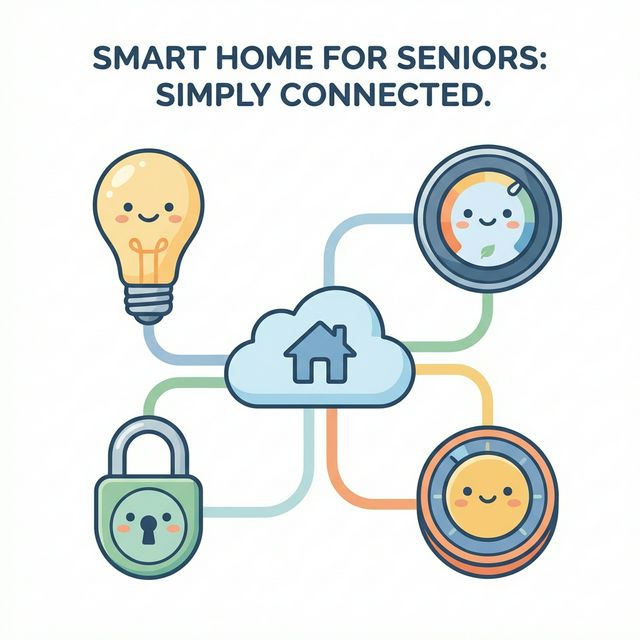
Think of Matter as a "Universal Translator" for home electronics. In the past, your smart bulb spoke "French" (Zigbee), your smart speaker spoke "German" (Alexa), and your phone spoke "English" (Siri). They couldn't understand each other without a clumsy translator in the middle.
With Matter, every device speaks the same language.
- It doesn’t matter if you have an iPhone and your brother has an Android.
- It doesn’t matter if you buy a bulb from Philips or a budget brand on Amazon.
- If it has the Matter logo on the box, it just works.
Why This is Critical for Seniors
For our aging parents, reliability isn't a luxury; it's a safety requirement. Matter offers three massive benefits for eldercare:
- It Works Without the Internet: This is the game-changer. Older smart devices relied on the "Cloud." If your parent's Wi-Fi hiccuped, the lights wouldn't turn on. Matter devices talk directly to each other inside the house. The internet can go down, but the bathroom motion sensor will still turn on the lights instantly.
- It’s Faster: Because the signal doesn't have to travel to a server in California and back, the response is instant. No more pressing a button and waiting three seconds.
- Multi-Admin Control: This is huge for families. You (the primary caregiver) can set up the system. But you can easily grant permission to your siblings, visiting nurses, or neighbors to control the door lock or lights from their own phones, regardless of brand.
Part 2: The "Invisible Caregiver" Kit
You don't need to turn your parent's home into a spaceship. You need a few targeted devices that solve specific problems. We call this the "Invisible Caregiver" approach—technology that stays out of the way until it's needed.
Here is the shopping list for a 2026 Matter-ready home.
1. The Brain: The Matter Controller
You need one device to act as the "conductor" of the orchestra.
Recommendation: The Apple HomePod mini or the Google Nest Hub (2nd Gen or later).
Why: These double as "Thread Border Routers."
The Analogy: Think of "Thread" as an invisible, healing mesh. If one device unplugs, the others find a new path to stay connected. It makes the network unbreakable.
2. Fall Prevention: Automated Lighting
Falls are the leading cause of injury for seniors, and they often happen at night when groggily moving to the bathroom.
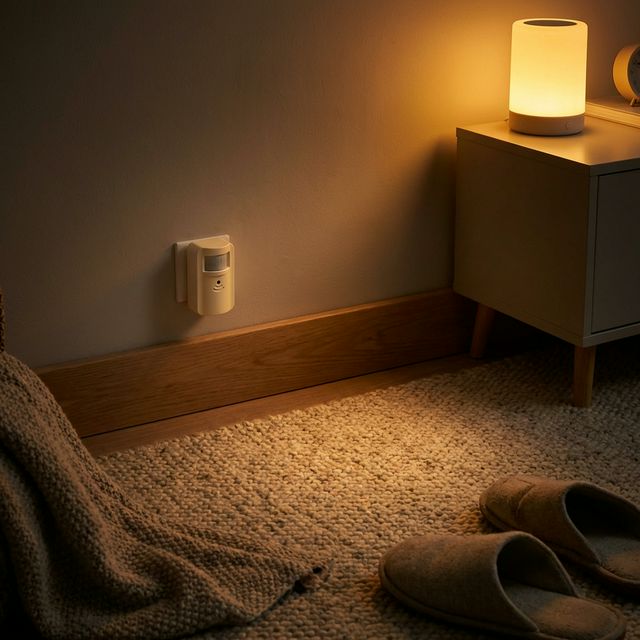
The Gear: A Matter-enabled Motion Sensor (like those from Eve or Aqara) + Smart Bulbs.
The Setup: Place the sensor at ankle height near the bed.
The Result: As soon as Dad swings his legs out of bed, the sensor talks directly to the bulbs. The lights fade up to 30% brightness—enough to see the path, but not bright enough to blind him. No switches to fumble for in the dark.
3. The "Is Mom Okay?" Monitor: Smart Plugs
You want to know your parent is up and about without spying on them with cameras (which many seniors hate).
The Gear: A simple Matter Smart Plug (e.g., TP-Link Tapo).
The Setup: Plug their kettle or coffee maker into this smart plug.
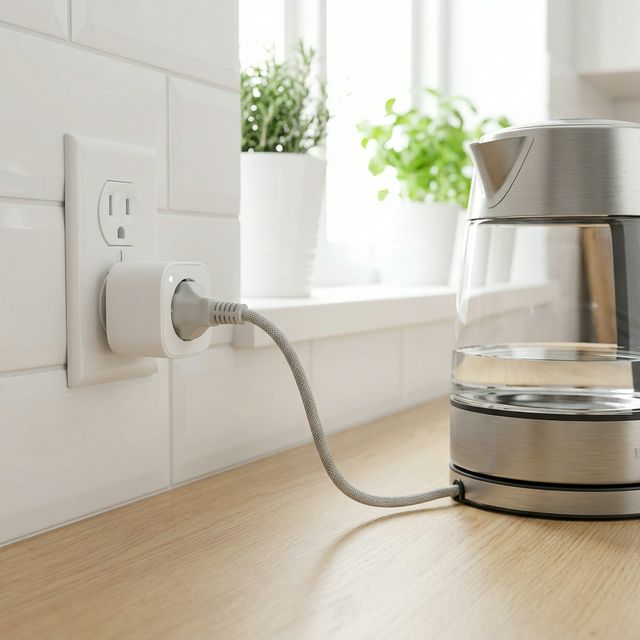
The Result: You can set a quiet alert on your phone. If the kettle hasn't drawn power by 10:00 AM, you get a notification. It’s a gentle nudge to give them a call and check-in.
4. Emergency Access: The Smart Lock
If a parent falls and calls for help, paramedics often have to break down the door to get in.
The Gear: A Matter-over-Thread Smart Lock (like the Yale Assure).
The Result: If there is an emergency, you can unlock the front door remotely from your phone, allowing paramedics instant access without property damage.
Part 3: Step-by-Step Setup Guide (The "Sunday Visit")
You've bought the gear. Now, how do you set it up without losing your mind?
Step 1: The Sticker Scan
Forget creating accounts for five different manufacturers.
- Open the "Home" app on your phone (Apple Home or Google Home).
- Tap "Add Accessory."
- Scan the QR code (the Matter sticker) on the device.
That’s it. The phone and the device do a secret handshake, and it connects.
Step 2: The "Grandma Test" for Naming
When you name the devices in the app, do not be technical. Be practical.
- Bad Name: "Philips Hue Downstairs Left 01"
- Good Name: "Reading Lamp" or "Kitchen Overhead."
Pro Tip: If your parent uses voice commands ("Hey Google, turn on the lights"), stick to the words they naturally use. If they call the living room the "Sitting Room," name the device "Sitting Room."
Step 3: Set "Invisible" Automations
The best smart home for a senior is one they never have to touch.
- The Sunset Rule: Program the living room lamps to turn on automatically 30 minutes before sunset. This ensures they are never walking into a dark room, reducing trip hazards.
- The Auto-Lock: Program the front door to lock itself automatically at 9:00 PM. This eliminates the "Did I lock the door?" anxiety that keeps many seniors awake.
Part 4: Addressing Privacy and Dignity
This is the conversation you must have with your parents. Smart homes can feel intrusive.
The "No-Camera" Rule
Many seniors reject technology because they fear being watched. The beauty of the Matter sensor system described above is that it uses Ambient Sensing.
- Motion sensors tell you movement happened, not what the person looks like.
- Smart plugs tell you the kettle is on, not what the person is wearing.
Explain to your parents: "Mom, I don't want to watch you. I just want the house to tell me that you're up and having your tea so I don't worry."
Local Data is Safer Data
Because Matter prioritizes local control, less data is being beamed up to the cloud. The command to turn on the light stays within the four walls of the house. This is a massive win for privacy-conscious families.
Conclusion: Start Small
It is tempting to buy the whole kit at once, but that is a recipe for overwhelm.
Start with just two devices:
- One Smart Hub.
- One Motion Sensor + Bulb combo for the hallway/bathroom.
Install it this weekend. Let your parent experience the magic of the lights turning on automatically when they walk to the bathroom at 2 AM. Once they see that the technology actually helps them rather than confuses them, they will be the ones asking you, "So, can we do the front door next?"
Welcome to the new era of care.