For seniors dealing with cataracts, macular degeneration, glaucoma, or just aging eyes, standard thermostats can be a daily source of frustration. Tiny grey numbers on a low-contrast background are nearly impossible to read, leading to discomfort or dangerous temperature settings.
The solution is simple but critical: Go Big, Bright, and High-Contrast. In this expanded guide, we focus exclusively on thermostats designed with visibility as the top priority.
What Makes a Thermostat "Vision-Friendly"?
Not all "smart" thermostats are easy to see. When shopping for a senior with vision impairment, prioritize these four features:
- High Contrast Ratio: White text on a black background (or vice versa) is significantly easier to read than dark grey on light grey.
- Large Font Size: The current temperature should be the dominant element on the screen, readable from at least 10 feet away.
- Backlighting: Essential for low-light conditions. The best units allow you to keep a dim "night light" glow active at all times.
- Audio Feedback: While rare, some units offer clicks or beeps when settings are changed, confirming the action without needing to see it.
Top Picks for High Visibility (2026 Reviews)
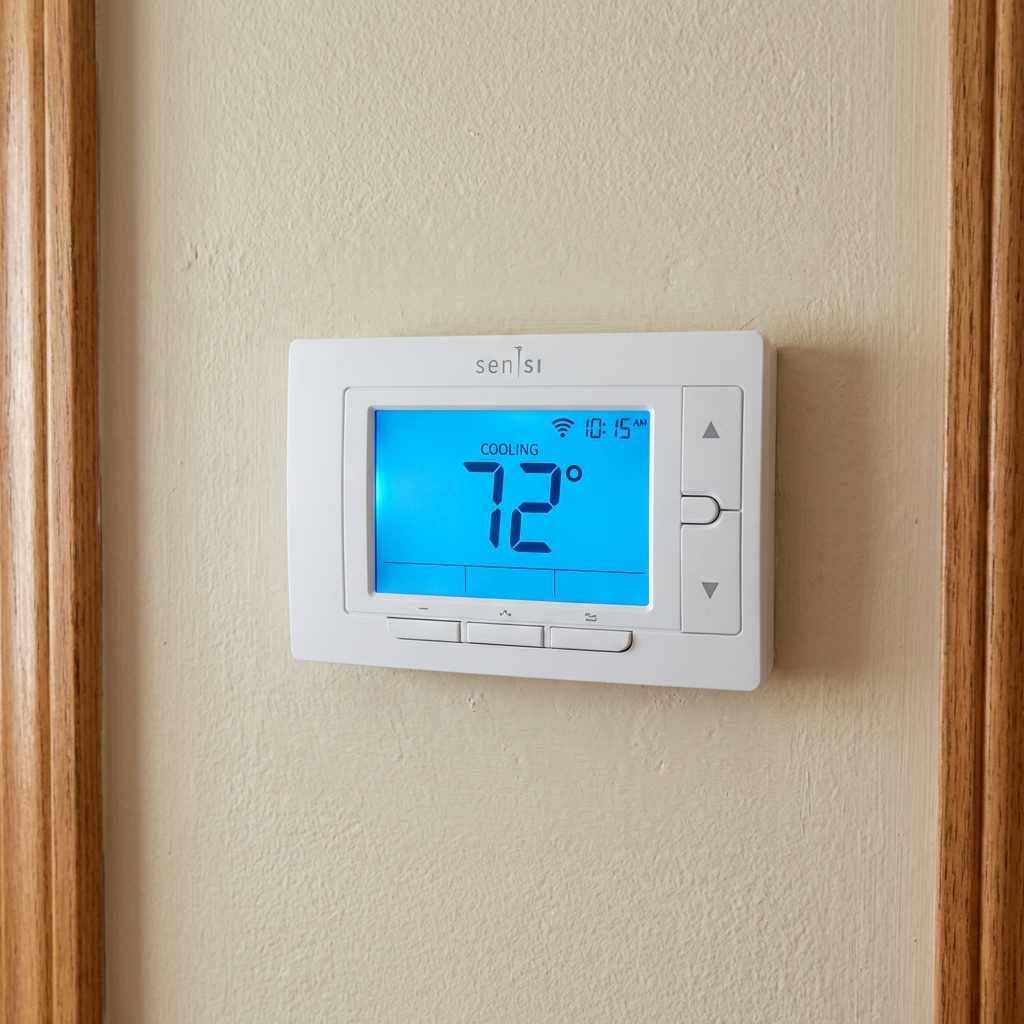
1. Emerson Sensi Smart Thermostat
Best for Backlight & Simplicity
The Sensi looks like a traditional thermostat but hides powerful smart features. Its standout feature for seniors is the continuous backlight option. The numbers are large and blue-on-white (or white-on-blue), providing excellent contrast in dark hallways.
Why It's Great for Seniors:- Continuous Glow: Can be set to function as a nightlight.
- Physical Buttons: Tactile "click" response is better than smooth glass.
- Simple App: Very easy for caregivers to manage remotely.
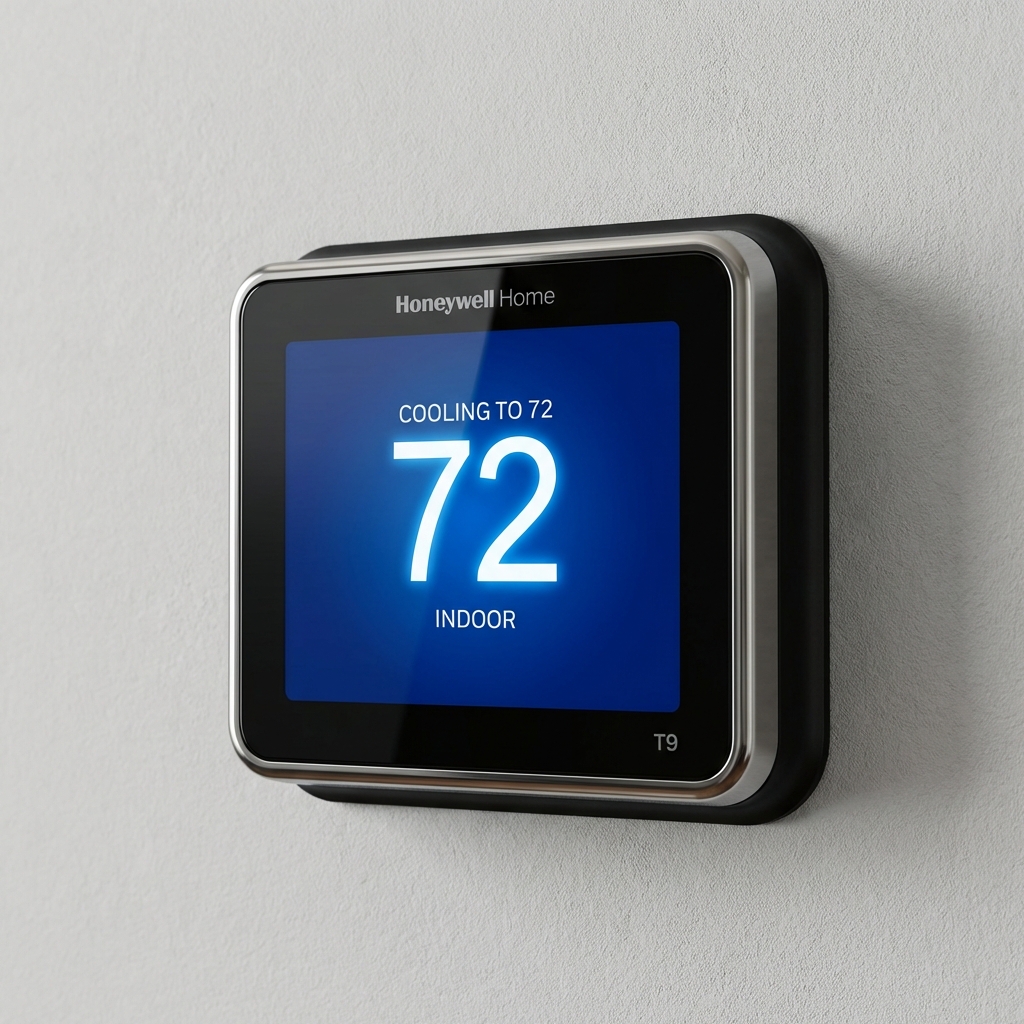
2. Honeywell Home Smart Color Thermostat
Best Customizable Color
This unit is unique because it allows you to change the background color of the screen. This is a game-changer for those with specific vision conditions. Some seniors see white-on-black better, while others find black-on-yellow (high contrast) the easiest to process.
Why It's Great for Seniors:- Custom Colors: Match the display to the user's vision needs.
- Huge Readout: Temperature numbers take up 60% of the screen.
- Daily Weather: Shows outdoor temp clearly too, helping with outfit choices.
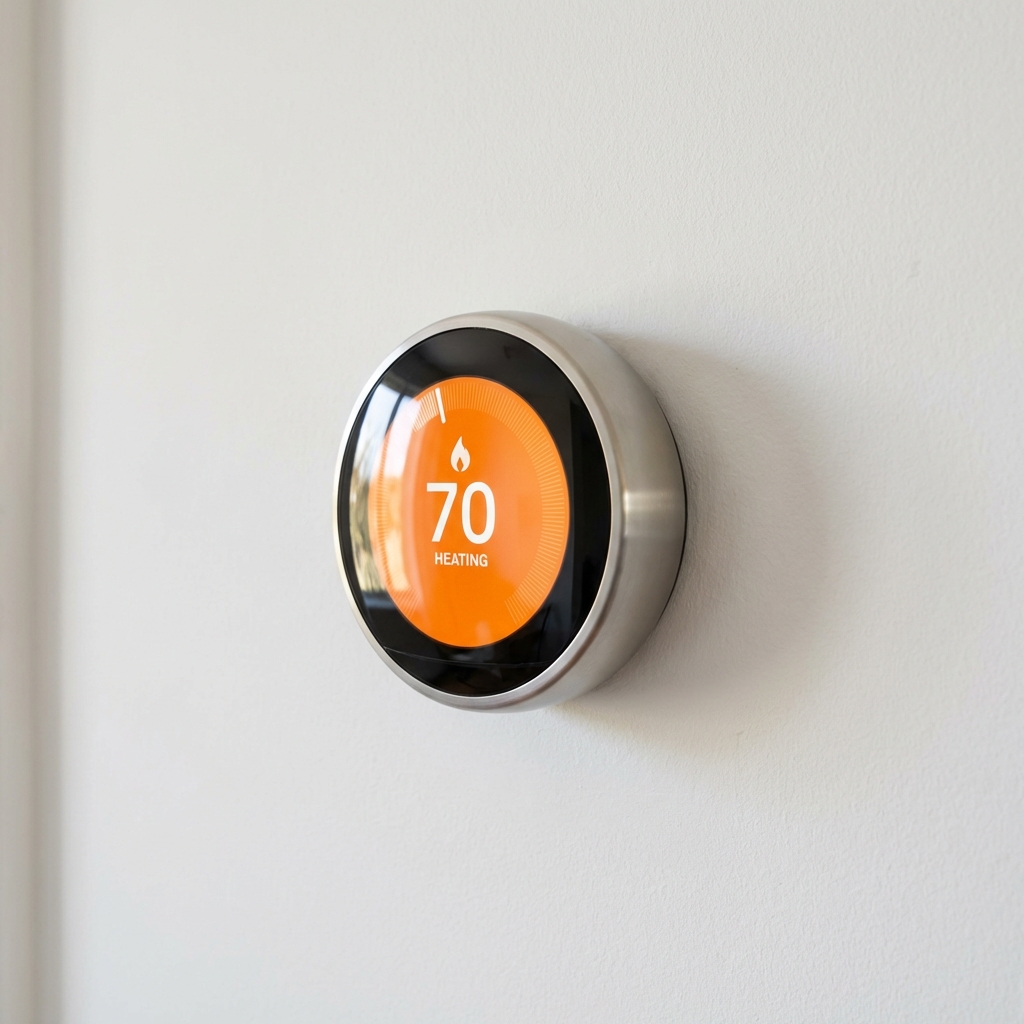
3. Google Nest Learning Thermostat
Best "Farsight" Visibility
The Nest is famous for a reason. Its "Farsight" feature detects activity from across the room and instantly lights up to show the temperature in massive, bright numbers. It eliminates the need to walk all the way up to the wall just to check the heat.
Why It's Great for Seniors:- Farsight: Readable from 20 feet away.
- Physical Dial: The outer ring turns physically, which is intuitive.
- Audible Click: The ring makes a soft clicking sound as you turn it.
Alternative Solution: Voice Control
If a senior's vision is severely impaired, even the largest display might effectively be invisible. In these cases, bypassing the visual interface entirely is the best strategy.
By pairing any of the above thermostats with an Amazon Echo Dot or Google Nest Mini, the senior can simply ask:
"Alexa, set the thermostat to 72 degrees."
This restores complete independence without the struggle of squinting at a screen.
Frequently Asked Questions
Can I install these thermostats myself?
Most smart thermostats require a "C-wire" (Common wire) for constant power, especially to keep those bright screens lit up. If you are replacing an old battery-operated unit, you may need a professional to run a new wire.
Are there "talking" thermostats?
Yes, dedicated talking thermostats exist (like the Emerson 1F95EZ-0671), but they are often difficult to find and lack modern smart features (like app control for caregivers). We generally recommend a smart thermostat paired with a smart speaker for a better "talking" experience.
Need more general options?
Back to Best Smart Thermostats